
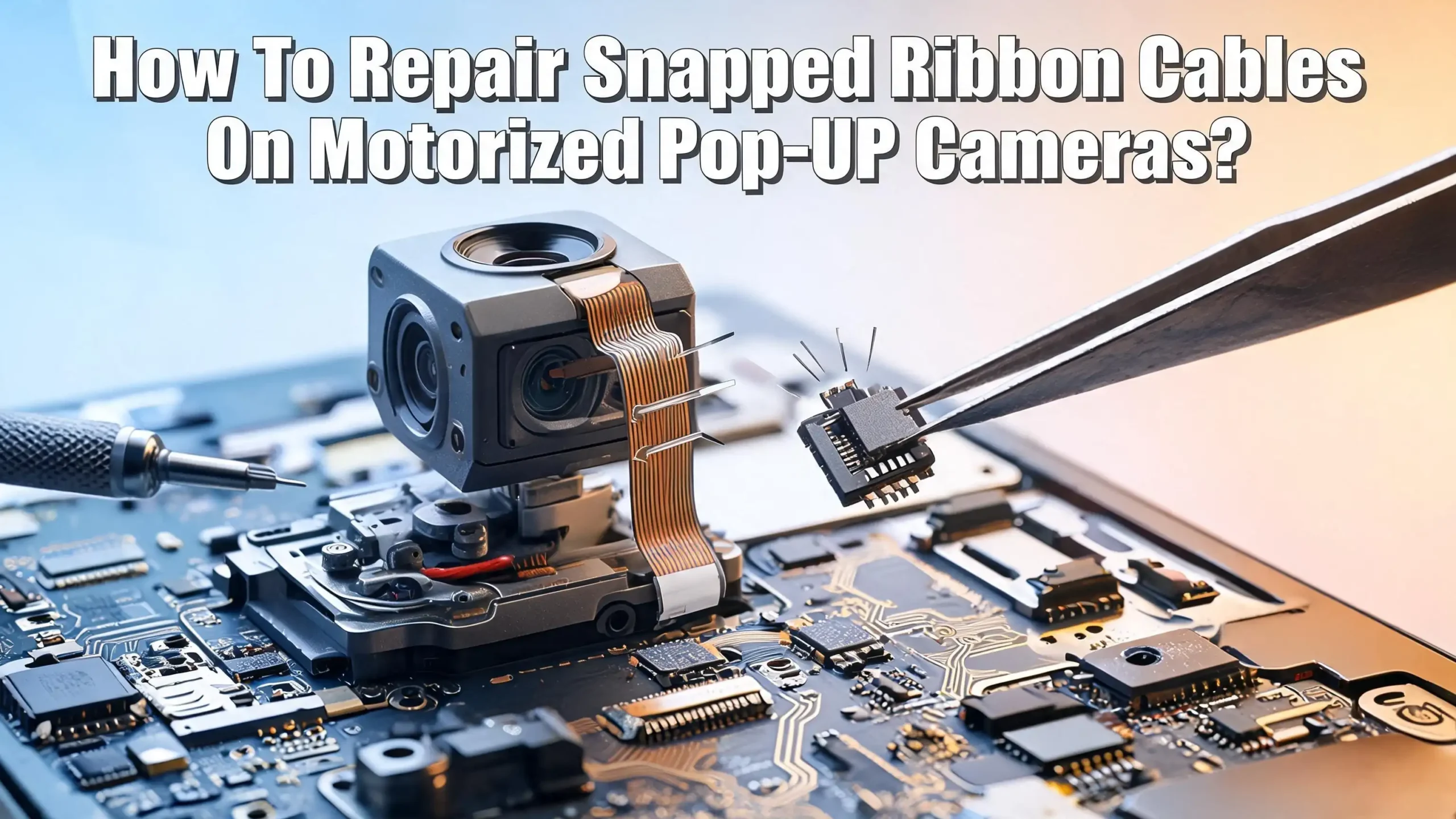
How To Repair Snapped Ribbon Cables On Motorized Pop Up Cameras?
Your motorized pop up camera just stopped working. The motor makes noise, but the camera gives you a black screen or freezes your phone’s camera app. You open the phone and find the worst: the ribbon cable is snapped. This is one of the most common hardware failures in phones like the OnePlus 7 Pro, Vivo V15 Pro, and similar devices with motorized selfie cameras.
The good news? You can fix it. The bad news? It takes patience, steady hands, and the right tools. A ribbon cable (also called a flex cable or FPC) is the thin, flat conductor that links the camera module to your phone’s motherboard. Every time that camera pops up and retracts, the cable bends. Over thousands of cycles, the copper traces inside wear down and eventually snap.
This guide will walk you through every step of the repair process. You will learn how to diagnose the problem, choose the right repair method, gather tools, and carry out a fix that restores your camera to full function.
Key Takeaways
- Snapped ribbon cables are the number one hardware cause of pop up camera failure. The repeated bending motion during thousands of open and close cycles fatigues the copper traces inside the flex cable until they break. If your camera motor runs but shows a black screen, a broken ribbon cable is the most likely cause.
- Full cable replacement is the most reliable fix. Sourcing a replacement flex cable for your specific phone model and swapping it out gives the best long term result. Soldering a snapped ribbon cable back together is possible but creates a repair that is stiff and prone to re breaking.
- You need specialized tools for this repair. A fine tip soldering iron, flux, a magnifying glass or microscope, anti static tweezers, a spudger, isopropyl alcohol, and a heat gun or hair dryer for opening the phone are all essential. Working without the right tools will likely cause more damage.
- Conductive adhesive is an alternative for people without soldering skills. Silver conductive paste or Z axis conductive tape can bridge broken traces without heat. These methods are less durable but can get a camera working again in a pinch.
- Always disconnect the battery before working inside your phone. This prevents short circuits that can destroy your motherboard or other components. Safety is the first step, not an afterthought.
- If the repair feels beyond your skill level, a professional technician is the smart choice. Flex cables in smartphones carry high speed signals with strict routing requirements. A poor repair can degrade image quality even if the camera turns on.
Understanding How Pop Up Camera Ribbon Cables Work
A motorized pop up camera uses a small stepper motor or rack and pinion system to raise and lower the camera module from the top edge of the phone. The camera module must stay connected to the motherboard at all times, even while moving. A flexible printed circuit (FPC), commonly called a ribbon cable, makes this possible.
This FPC is a thin sheet of polyimide plastic with copper traces etched into it. The traces carry power, ground, and data signals between the camera sensor and the phone’s main board. The cable folds and unfolds each time the camera rises or retracts. This constant bending is exactly what causes the cable to fail over time.
Most smartphone FPCs use a 0.5mm pitch, meaning the copper traces are just half a millimeter apart. Some cables carry 20 or more individual traces. The traces handle MIPI (Mobile Industry Processor Interface) signals, which are high speed differential data lines. This means the cable does more than just carry power. It transmits the actual image data from the camera sensor to the processor.
Understanding this helps you appreciate why repair quality matters. A sloppy solder job or uneven conductive paste application can create impedance mismatches on these high speed lines. That can result in a camera that turns on but produces distorted images, color artifacts, or intermittent failures. A clean, precise repair or a full cable replacement will always give better results.
Signs That Your Ribbon Cable Is Snapped
Not every pop up camera failure means a broken ribbon cable. You need to confirm the diagnosis before you open your phone. Here are the clearest signs that the FPC is the problem.
The camera motor works normally but the camera app shows a black screen. The motor raises and lowers the module without grinding or stalling. This tells you the motor and its driver circuit are fine. The problem is with the data connection between the camera and motherboard.
Your phone throws an error message like “camera not available” or the camera app force closes every time the module pops up. This happens because the processor cannot communicate with the camera sensor through the broken cable.
You may notice the camera works intermittently. Sometimes it shows an image, and other times the screen goes black. This usually means the cable is partially torn. Some traces still make contact, but the connection is unreliable. Gentle pressure on the phone’s top edge might temporarily restore the camera, which is a strong indicator of a flex cable issue.
In some cases, both front and rear cameras stop working around the same time. On phones like the OnePlus 7 Pro, the front camera flex cable sits near the rear camera connector. A snapped front camera ribbon can shift internal components enough to loosen the rear camera connection too.
Before opening your phone, try a software reset first. Clear the camera app cache, restart the phone, and update the firmware. If none of these steps help, the ribbon cable is almost certainly your culprit.
Tools And Materials You Will Need
Gathering the right tools before you start is critical. Working on a ribbon cable with the wrong equipment will lead to frustration and possibly permanent damage to your phone.
You will need a fine tip soldering iron with adjustable temperature. Set it between 300°C and 350°C for flex cable work. A tip diameter of 0.5mm or smaller is ideal. Standard soldering iron tips are far too large for the traces on a smartphone FPC.
Flux is essential. Use a no clean rosin flux in a syringe applicator. Flux helps solder flow smoothly onto the tiny copper traces and prevents cold solder joints. Without flux, this repair is nearly impossible.
A magnifying glass or digital microscope lets you see the traces clearly. Smartphone FPC traces are extremely small. Attempting this repair with the naked eye is a common reason people fail. Even an inexpensive USB microscope makes a huge difference.
You will also need anti static tweezers, a plastic spudger, a suction cup, thin enameled copper wire (30 AWG or thinner), isopropyl alcohol (90% or higher), cotton swabs, and UV curable solder mask. A heat gun or hair dryer is necessary for softening the adhesive that holds your phone’s back panel in place.
If you plan to skip soldering, pick up silver conductive paste or Z axis conductive tape instead. These alternatives work for simpler repairs but offer less durability. Keep a roll of Kapton (polyimide) tape on hand as well. It protects surrounding components from heat during soldering.
Opening Your Phone Safely
The first step in any internal phone repair is getting inside the device without causing new damage. Pop up camera phones typically have glass back panels held in place with strong adhesive.
Power off the phone completely and remove the SIM tray. Use a heat gun or hair dryer on low to medium heat to warm the back panel edges for about two to three minutes. This softens the adhesive. Do not overheat any single area because you can damage the battery or display.
Apply a suction cup to the back panel and pull gently while inserting a thin plastic pick or guitar pick into the gap. Work the pick around the edges slowly to separate the adhesive. Never use metal tools for this step. Metal can scratch internal components, puncture the battery, or short circuit the board.
Once the back panel is off, you will see the internal frame secured with small Phillips screws. Remove each screw and keep them organized. Many people use a magnetic mat or tape strips to track which screw came from which location. Pop up camera phones often use screws of different lengths. Putting the wrong screw in the wrong hole can drive it into the display and crack it.
Disconnect the battery connector before touching anything else. Use a plastic spudger to pop the battery connector off the motherboard. This single step prevents short circuits that could destroy your phone’s logic board. With the battery disconnected, you can safely work on the ribbon cable without risk of electrical damage.
Locating The Damaged Ribbon Cable
With the phone opened and the battery disconnected, you need to find the snapped ribbon cable. In most pop up camera phones, the front camera FPC runs from the camera module at the top of the phone down to a ZIF (Zero Insertion Force) connector on the motherboard.
Follow the camera module to its flex cable. The cable usually tucks along one side of the phone’s frame and connects to the main board near the top. On phones like the OnePlus 7 Pro, the flex cable passes through a narrow channel beside the motor mechanism. This tight routing means the cable bends at a sharp angle every time the camera moves.
Examine the cable under your magnifying glass or microscope. A complete snap is easy to spot. The cable will be in two separate pieces. A partial tear is harder to find. Look for hairline cracks across the copper traces, especially near the fold points where the cable bends during operation.
Sometimes the damage is not at the fold point at all. The cable can tear near the ZIF connector if it was pulled at an angle during a previous repair or factory assembly. Check the connector itself too. If the ZIF latch is broken, the cable may simply be unseated rather than snapped.
Note the cable’s orientation, routing path, and how it connects at both ends. Take photos before you disconnect anything. These photos will be your guide during reassembly. A cable installed backward or twisted will not work and can damage the connector.
Method One: Full Ribbon Cable Replacement
Replacing the entire ribbon cable is the most reliable repair method. If a replacement cable is available for your phone model, this is the approach you should choose.
Search for your phone’s model number followed by “front camera flex cable” on electronics parts suppliers. Cables for popular models like the OnePlus 7 Pro, Vivo NEX, and Xiaomi Mi 9T are widely available. Most cost less than $10 or £10. Make sure the replacement matches your exact model variant, as regional versions sometimes use different cables.
To remove the old cable, lift the ZIF connector latch on the motherboard using a plastic spudger. The latch is a tiny hinged flap that locks the cable in place. Flip it up gently. Then slide the old cable out. At the camera module end, the cable may be soldered directly or attached with another small connector. Handle this with care.
Insert the new cable by sliding it into the ZIF connector with the contacts facing the correct direction. Most ZIF connectors accept the cable with the copper contacts facing down. Push the cable in until it stops, then close the latch firmly. Connect the camera module end as well.
Before sealing the phone, reconnect the battery and test the camera. Open the camera app, switch to the front facing camera, and check that the pop up motor raises the module and the camera produces a clear image. If everything works, power off the phone, disconnect the battery again, and proceed with reassembly.
Method Two: Soldering Broken Traces With Jumper Wires
If you cannot find a replacement cable, or if you want to challenge your soldering skills, you can repair the snapped cable by bridging the broken traces with thin wire. This method requires patience, precision, and a steady hand.
Start by securing the cable flat on your work surface. Tape both halves of the snapped cable to a piece of cardboard or a flat rigid surface using Kapton tape. Keep the broken ends close together with a small gap between them. The cable needs to stay perfectly still while you work.
Use a razor blade or fiberglass pen to carefully scrape away the polyimide coating from the copper traces on both sides of the break. Expose about 2mm of copper on each trace. Stagger the exposed areas so that no two adjacent traces are exposed at the same point. This reduces the risk of accidentally bridging neighboring traces with solder.
Apply flux to the exposed copper and tin each trace with a tiny amount of leaded solder. Leaded solder (63/37 tin/lead) flows better at lower temperatures than lead free solder and is strongly recommended for this delicate work. Then cut short lengths of 30 AWG or thinner enameled copper wire. Solder one wire across each broken trace, connecting the tinned pads on both sides of the break.
After all traces are bridged, clean the area with isopropyl alcohol and a cotton swab. Inspect every joint under your microscope. Check for solder bridges between adjacent traces. Use solder wick to remove any accidental bridges. Finally, apply UV curable solder mask over the entire repair area and cure it with a UV light. This insulates the exposed copper and gives the repair some mechanical strength.
Method Three: Conductive Paste Or Adhesive Repair
For people who do not own soldering equipment or lack the confidence to solder traces smaller than a millimeter, conductive paste offers a simpler alternative. This method uses electrically conductive materials to bridge the broken traces without heat.
Silver conductive paste is the most common choice. It contains tiny silver particles suspended in an adhesive base. When applied to exposed copper traces, it creates an electrically conductive bridge after curing. The paste typically cures at room temperature within 24 hours or can be heat cured faster.
Prepare the cable the same way as for soldering. Secure it flat, expose the copper traces on both sides of the break, and clean the area with isopropyl alcohol. Use a fine tipped applicator or a toothpick to apply a thin line of conductive paste across each broken trace. Work under magnification. Keep each line of paste isolated from neighboring traces. Even a small bridge between two lines will cause a short circuit.
Z axis conductive tape is another option. This specialty tape conducts electricity only through its thickness, not across its surface. You can lay it over the break and it will connect the top trace to the bottom trace at each point without shorting adjacent lines. It requires exposed copper on both sides and careful alignment.
Neither method is as durable as soldering or cable replacement. Conductive paste can crack if the cable is flexed, and the adhesion weakens over time. These repairs are best treated as temporary solutions or as a method of last resort. If you use conductive paste, minimize cable movement during reassembly and consider securing the repaired section with a rigid splint.
Testing The Repair Before Reassembly
Never seal your phone back up without testing first. A failed repair discovered after full reassembly means you have to open the phone all over again, risking additional damage each time.
With the ribbon cable repaired or replaced, reconnect it to the motherboard’s ZIF connector and the camera module. Reconnect the battery. Power on the phone and open the camera app.
Switch to the front facing camera and verify the following: the motor activates and raises the camera smoothly, the camera displays a live image, the image is clear without color artifacts or lines, autofocus works properly, and the camera retracts when you switch away from the front camera.
Test in different lighting conditions. Take a few photos in bright light and low light. Poor solder joints or partially connected traces sometimes show up as noise, color banding, or intermittent blackouts only in certain conditions. If you see any of these issues, the repair needs further attention.
Also test the rear cameras if your phone has them. On some devices, the front and rear camera circuits share components or the rear camera connector sits near the front camera flex cable. Confirm that rear camera autofocus, image quality, and video recording all work normally.
If everything checks out, power off the phone, disconnect the battery, and move on to reassembly with confidence. If the camera still fails, re examine your repair under the microscope for cold joints, solder bridges, or paste discontinuities.
Reassembling Your Phone Correctly
Reassembly is just as important as the repair itself. Rushing through this step is a common cause of new problems after an otherwise successful fix.
Start by routing the repaired or replaced ribbon cable along its original path. Refer to the photos you took during disassembly. Make sure the cable is not pinched, twisted, or folded at a sharp angle. If you repaired the cable with solder or paste, position the repaired section where it will experience the least amount of bending during camera operation.
Replace all internal frame screws in their correct positions. Double check screw lengths. A screw that is even 1mm too long can press into the display from behind and cause cracks or dead spots. Tighten screws firmly but do not overtighten them. The threading in smartphone frames is delicate.
Before attaching the back panel, reconnect the battery and do one final quick test of the camera. This is your last chance to catch a problem without removing adhesive. Once satisfied, disconnect the battery one more time and apply fresh adhesive strips or B7000 glue to the back panel edges.
Press the back panel into place and apply even pressure around all edges. Some repair guides suggest using clamps or placing the phone under a heavy book for a few hours to let the adhesive set. Avoid using the pop up camera for at least two hours after sealing the phone. This gives the adhesive time to cure and prevents the motor vibration from shifting the back panel before it bonds.
Common Mistakes To Avoid During This Repair
Even experienced repair technicians make mistakes with flex cable work. Knowing the most common pitfalls can save you from turning a simple repair into a dead phone.
Using too much heat is the top mistake. Flex cables are made from polyimide, which is heat resistant but not heat proof. Holding a soldering iron on a trace too long will melt the substrate and destroy the trace permanently. Touch the iron to the trace for two seconds or less per joint.
Bridging adjacent traces with solder is the second most common error. The traces are extremely close together. A tiny blob of excess solder can short two lines. Always inspect every joint under magnification and use solder wick to remove bridges immediately.
Forgetting to disconnect the battery before working inside the phone causes shorts. A short circuit on the motherboard can fry the power management IC, turning a $5 cable repair into a $200 board replacement.
Forcing the ribbon cable into the ZIF connector backward damages both the cable and the connector. ZIF connectors are fragile. If the cable does not slide in smoothly, stop and check the orientation. The copper contacts usually face the board side of the connector, but this varies by design.
Skipping the testing step leads to sealed phones that do not work. Always test before you close the phone. And finally, do not reuse old adhesive strips. Fresh adhesive ensures a proper seal that keeps dust and moisture out of your phone’s internals.
When To Seek Professional Help
There is no shame in handing this repair to a professional. Flex cable work on smartphones is one of the most difficult types of electronics repair. The traces are tiny, the tolerances are tight, and the components are expensive to replace if something goes wrong.
Seek professional help if you do not own a microscope or fine tip soldering iron. Attempting this repair without proper magnification is like performing surgery blindfolded. The traces are simply too small to see clearly with the naked eye.
If the ZIF connector on the motherboard is damaged, that requires board level soldering to replace. This is a job for a technician with microsoldering experience. A damaged ZIF connector cannot grip the cable properly, and no amount of tape or glue will create a reliable connection.
High speed data lines in camera flex cables have strict impedance requirements. A professional repair using proper techniques will maintain these requirements. A DIY repair with jumper wires or conductive paste may work for basic function but could degrade image quality on cameras with high resolution sensors.
Professional repair shops typically charge between $30 and $80 for a pop up camera flex cable replacement, depending on the phone model and your location. That is far less than the cost of a new phone or a motherboard replacement caused by a failed DIY attempt. Call local repair shops, describe the problem, and ask if they have experience with your specific phone model before committing.
Preventing Future Ribbon Cable Failures
Once your camera is working again, take steps to prevent the same failure from happening in the future. Pop up cameras have a mechanical lifespan, but smart usage habits can extend that lifespan significantly.
Reduce unnecessary pop up cycles. Every time the camera rises, the flex cable bends. Some apps trigger the pop up camera for face detection features you may not need. Check your app permissions and disable camera access for apps that do not genuinely need it.
Use the phone’s built in fall detection if available. Many pop up camera phones have accelerometers that retract the camera when a drop is detected. Make sure this feature is enabled in your settings. A camera that is out when the phone hits the ground can snap the mechanism and the cable instantly.
Keep the camera slot clean. Dust and debris in the pop up channel create friction that stresses the motor and cable. Wipe the top of your phone occasionally with a soft cloth. Do not blow compressed air directly into the camera slot, as this can push debris deeper.
Consider using a protective case that provides a small lip around the top edge of the phone. This keeps the camera area safe from direct impact. Avoid cases that are so tight they interfere with the camera’s movement, though. Excess resistance on the motor puts more strain on the cable.
If your pop up camera phone is aging and you rely on the front camera daily, sourcing a spare flex cable now while parts are still available is wise. Parts for discontinued phone models become harder to find over time. Having a spare on hand means a quick swap instead of a long wait if the cable snaps again.
Frequently Asked Questions
Can I use regular tape to fix a snapped ribbon cable?
No. Regular tape is not electrically conductive. It will hold the two pieces of cable together physically but will not restore the electrical connection between the broken copper traces. You need either soldering, conductive paste, or Z axis conductive tape to bridge the break and restore signal flow.
How long does a soldered ribbon cable repair last?
A well done solder repair can last months or even years if the repaired section does not bend during normal use. However, soldered joints on flex cables are stiffer than the original material. If the cable must bend repeatedly, the repair will eventually fail again. Full cable replacement is the better long term solution.
Is it safe to use a hair dryer instead of a heat gun to open the phone?
Yes. A hair dryer on its highest heat setting produces enough warmth to soften phone adhesive. Hold it about 3 to 5 centimeters from the phone’s edge and heat each section for two to three minutes. It takes longer than a heat gun but carries less risk of overheating the battery or display.
What if my pop up camera motor also stopped working?
A dead motor is a separate issue from a snapped ribbon cable. The motor has its own power connection and driver circuit. If the motor does not spin at all, the motor itself or its driver IC may be faulty. However, check the ribbon cable first. On some models, the motor and camera share a common flex cable, so a break in one section can affect both functions.
Can I prevent the ribbon cable from snapping again after repair?
You can reduce stress on the cable by minimizing unnecessary camera pop ups, keeping the camera slot clean, and using a protective phone case. If you repaired the cable rather than replacing it, try to position the repaired section so it sits in an area with minimal bending. Adding a small piece of Kapton tape as a reinforcement along the repair can help distribute bending stress more evenly.
Where can I find a replacement ribbon cable for my specific phone model?
Search for your phone’s exact model number plus “front camera flex cable” on electronics parts websites and repair part suppliers. Popular models have widely available cables. For less common models, check repair forums where users often share links to compatible parts. Make sure the cable matches your model variant, as hardware revisions within the same phone line sometimes use different cable designs.

Hi, I’m Hana! I’m a tech lover who geeks out over software, gadgets, and all things digital. I started UniConverterBox to help everyday people navigate the overwhelming world of tech with honest reviews, clear comparisons, and simple guides. Got questions? I’m always happy to help!