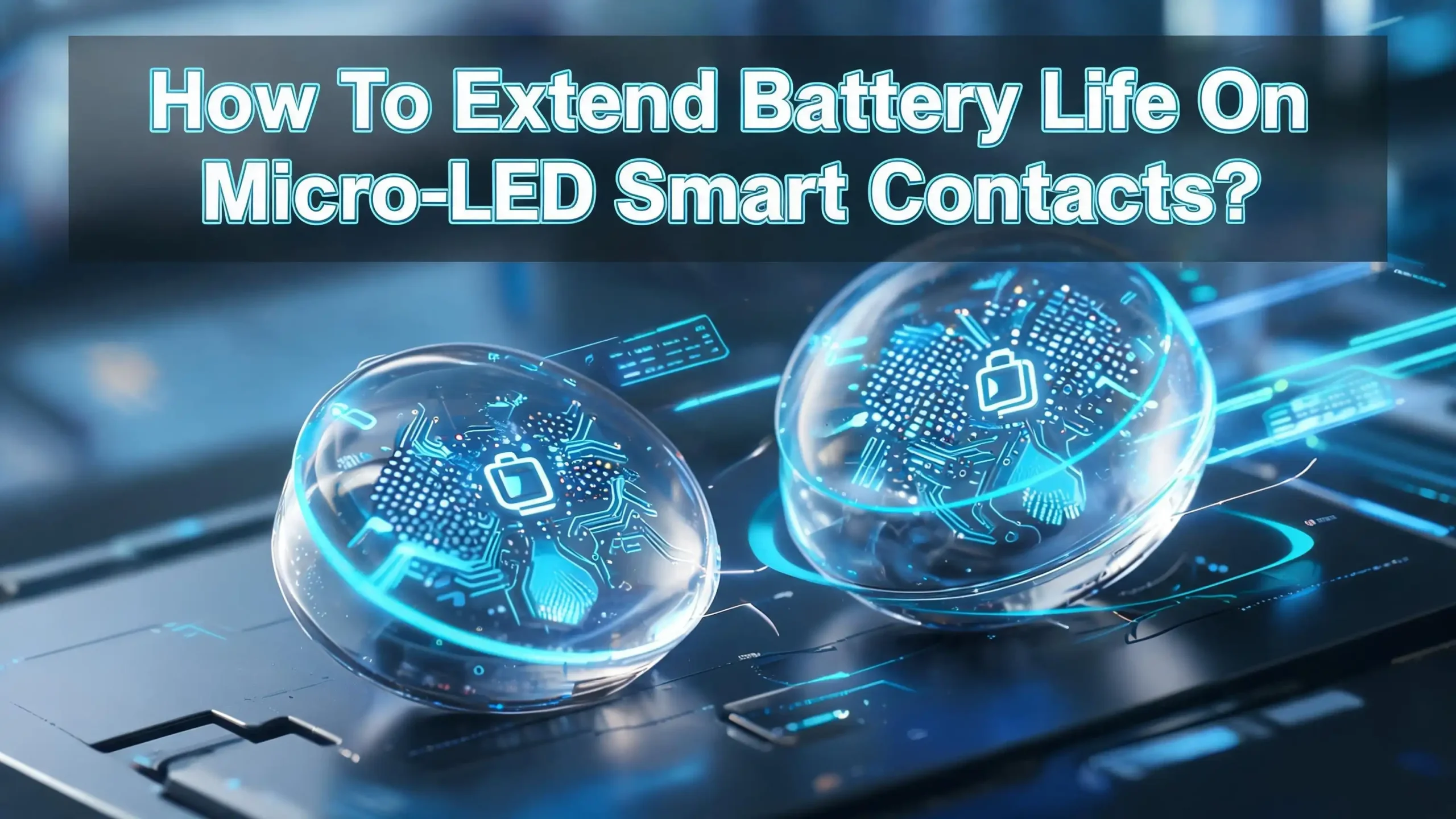
How To Extend Battery Life On Micro LED Smart Contacts?
Smart contact lenses are no longer science fiction. Companies like XPANCEO and Mojo Vision have built working prototypes that deliver augmented reality, health monitoring, and real time data right on your eye. But there is one major problem every user faces. Battery life is extremely limited.
These tiny devices pack micro LED displays, wireless transmitters, biosensors, and processors into a space smaller than a fingernail. Every component draws power from batteries thinner than a human cornea.
A dead lens means no AR overlay, no glucose tracking, and no real time alerts. That makes battery management the single most important skill for anyone wearing or planning to wear smart contacts.
This guide gives you practical, proven strategies to squeeze every last minute of power from your micro LED smart contact lenses. You will learn how each feature drains the battery, which settings to adjust, and how new technologies like tear powered charging and solid state microbatteries are changing the game.
In a Nutshell
- Micro LED displays are the biggest power drain on smart contact lenses. Reducing brightness, limiting active display time, and using dark mode interfaces can extend battery life by a significant margin each day.
- Wireless data transmission consumes steady power even in the background. Turning off unnecessary syncing, reducing transmission frequency, and keeping your companion device close will lower energy use.
- Energy harvesting features like tear powered charging and solar cells can add extra runtime. The University of Utah developed a hybrid system that generates about 150 microwatts from tears and ambient light combined. Keeping your eyes well hydrated and spending time in well lit environments helps these systems work better.
- Solid state microbatteries from companies like ITEN offer safer, longer lasting power compared to older battery designs. These ceramic batteries do not leak or overheat, and their nanomaterial structure stores more energy in less space.
- Firmware updates often include power optimization improvements. Keeping your lens software current ensures you benefit from the latest efficiency gains that manufacturers release.
- Using a proper charging routine matters. Wireless charging companions from XPANCEO can recharge lenses from a compact case carried in your pocket. Following recommended charge cycles protects long term battery health.
Understanding How Micro LED Smart Contact Lenses Use Power
A micro LED smart contact lens is a small computer sitting on your cornea. It contains a micro LED display, a wireless communication antenna, sensor arrays, a microprocessor, and a power source. Each of these components draws energy constantly or intermittently throughout the day.
The micro LED display is the primary power consumer. Mojo Vision’s prototype uses a 14,000 PPI monochrome green micro LED microdisplay less than 0.5 mm in diameter. Even at this tiny scale, lighting up individual pixels requires a steady flow of current. The brighter the display, the more power it consumes. Color displays demand even more energy because red, green, and blue LEDs each need different voltage levels.
Wireless communication is the second largest drain. The lens must send and receive data from a companion device such as a smartphone or a dedicated accessory. This radio link runs continuously during active use. Sensors that track glucose, intraocular pressure, or eye movement also consume power, though typically less than the display and radio.
Understanding this breakdown helps you make smarter decisions about which features to keep active. Every feature you disable or reduce directly translates to extra minutes of battery life on your lens.
Reduce Micro LED Display Brightness
The single most effective way to save battery on your smart contact lens is to lower the display brightness. Micro LEDs emit light by passing current through tiny semiconductor chips. Higher brightness means higher current, which means faster battery drain.
Most smart contact lens systems allow you to set brightness levels through a companion app on your phone. Drop the brightness to the lowest comfortable level for your environment. In dim indoor settings, you may only need 10 to 20 percent brightness. Outdoors in bright sunlight, you will need more, but the ambient light also powers any onboard solar cells.
Automatic brightness adjustment is even better if your lens supports it. This feature uses ambient light sensors to scale display output in real time. You never waste power on a bright display in a dark room. Research on micro LED power consumption shows that dynamically adjusting driving voltage based on conditions can reduce energy use significantly compared to fixed settings.
Keep your display off when you do not need it. Even a dim display consumes power. If you are exercising, commuting, or in a meeting where you will not check notifications, switch to a minimal mode or turn the display off entirely.
Limit Active Display Time With Smart Scheduling
Your lens does not need to show information every second of the day. Smart scheduling lets you set windows when the display stays active and times when it enters sleep mode. This alone can double or triple your daily battery life depending on your usage pattern.
Most companion apps offer scheduling tools. You can program the lens to activate the display only during work hours and keep it in sensor only mode during evenings. Some systems support trigger based activation where the display turns on only when a specific event occurs, such as a new message, a health alert, or a navigation prompt.
Think of your smart contact lens like a phone screen. The less time the screen stays on, the longer the battery lasts. Set short timeout periods so the display turns off quickly after each interaction. If your system supports gesture controls like double blinking to wake the display, you gain fine control over exactly when the screen lights up.
Batch your information checks into a few sessions rather than glancing at the display continuously. This pattern keeps the micro LEDs off for longer stretches and gives the battery more time to benefit from any energy harvesting features built into the lens.
Optimize Wireless Data Transmission Settings
The wireless antenna on your smart contact lens sends data to and from your companion device. Every transmission cycle costs energy. Reducing the frequency and volume of these transmissions is a direct path to longer battery life.
Start by checking which data streams are active. Health sensors may transmit glucose readings every few seconds by default. If you do not need real time monitoring, switch to periodic uploads every five or ten minutes. The data still gets recorded, but the radio stays off between transmissions and saves power.
Keep your companion device close to the lens. XPANCEO’s wireless powering companion is designed to work within a specific range. The farther the receiving device sits from the lens, the more power the antenna needs to maintain a stable connection. Carrying your phone in a chest pocket rather than a backpack can make a measurable difference.
Disable features you are not using. If you do not need AR navigation, turn off the GPS data stream. If you are not tracking biosignals that day, pause the health sync. Each idle radio channel that gets shut down gives your battery a small but meaningful boost. Over a full day, these savings add up.
Take Advantage Of Tear Powered Energy Harvesting
One of the most exciting advances in smart contact lens technology is energy harvesting from your own tears. Researchers at the University of Utah built a system that uses the electrolytes in tears as a biofuel. When you blink, the tear fluid contacts a magnesium anode, triggering an oxidation reaction that generates electrons.
The system works in stages. When your eye is fully open, the photovoltaic half captures ambient light. When you start blinking, the tear harvester activates. Together, these two modes deliver about 150 microwatts at a stable 3.3 volts. That is enough to power basic sensor functions and short display bursts.
To maximize this energy source, keep your eyes well hydrated. Use preservative free lubricating drops if your eyes tend to dry out. Dry eyes produce fewer tears, which reduces the electrolyte contact needed for the chemical reaction. Environmental factors matter too. Air conditioned offices and airplane cabins can dry your eyes faster.
Blink regularly and naturally. The harvesting system relies on the mechanical motion of your eyelid to refresh the electrode surfaces and prevent fouling. Staring at a screen for long periods without blinking reduces both your tear production and your lens’s ability to scavenge energy. Taking regular breaks helps your eyes and your battery.
Use Solar And Ambient Light To Your Benefit
Many smart contact lens prototypes include miniaturized flexible silicon solar cells that capture energy from sunlight and artificial light sources. The University of Utah system uses eight tiny crystalline cells, each measuring 1.5 by 1.5 by 0.1 millimeters, encapsulated in a flexible polymer layer.
These solar cells generate power whenever light hits the lens surface. Outdoor sunlight provides the strongest charge, but indoor lighting from lamps and overhead fixtures also contributes. Spending time near windows or in well lit rooms gives your lens a passive power boost throughout the day.
You cannot control the weather, but you can make conscious choices about your environment. Sit near natural light sources at work. Avoid wearing sunglasses over your smart contacts unless absolutely necessary, as dark lenses block the photons your solar cells need. If you work in a dimly lit environment, consider using a desk lamp that provides enough illumination for both your eyes and your solar harvester.
The photovoltaic system and the tear harvester work in complementary phases. When your eyes are open, solar cells charge. When you blink, tears generate power. This dual mode approach means energy collection happens continuously whether your eyes are open or closed.
Manage Sensor Usage Based On Need
Smart contact lenses can carry multiple sensors for glucose monitoring, intraocular pressure tracking, cortisol measurement, and more. XPANCEO’s biosensing lens measures hormones, vitamins, and biomarkers from tear fluid using nanoparticle enhanced detection. Each active sensor draws power from the same tiny battery.
Prioritize the sensors you truly need each day. If you are monitoring glucose for diabetes management, keep that sensor active and disable the cortisol tracker unless your doctor has asked for stress monitoring. If your primary concern is glaucoma, run the intraocular pressure sensor and pause everything else.
Most companion apps let you toggle individual sensors on and off. Some systems support profiles. You might create a “workday” profile with glucose and IOP sensors active and a “weekend” profile with only basic health tracking. Switching profiles takes seconds and can save hours of battery life across a week.
Sensor polling frequency also matters. Continuous measurement consumes more power than periodic sampling. If your readings have been stable, you can safely reduce the sampling rate. Discuss appropriate intervals with your healthcare provider to balance clinical accuracy with battery conservation.
Keep Firmware And Software Updated
Manufacturers constantly refine the software that runs on your smart contact lens and its companion device. Firmware updates frequently include power management improvements that make the lens use energy more efficiently without any change in hardware.
These updates may optimize how the micro LED driver circuit manages current flow, reduce the overhead of wireless transmissions, or improve how the processor sleeps between tasks. A single update can sometimes reduce power consumption by several percent, which translates to meaningful extra runtime.
Enable automatic updates on your companion app so you never miss an improvement. Check the manufacturer’s release notes to understand what each update changes. Some updates may introduce new power saving modes or refined display scheduling options that give you additional control.
Outdated firmware can also contain bugs that cause unnecessary battery drain. A sensor that fails to enter sleep mode or a radio that stays active after a sync completes will silently consume power in the background. Keeping your software current closes these gaps and ensures every milliwatt goes where it should.
Follow Proper Charging Practices
Smart contact lenses use wireless charging systems. XPANCEO demonstrated a wireless powering companion at MWC 2025 that recharges the lens from a compact device similar to a contact lens case. How you charge your lens affects its long term battery capacity.
Solid state microbatteries from ITEN use ceramic materials instead of liquid electrolytes. These batteries are safer because they cannot leak or explode. However, they still benefit from proper charge management. Avoid letting the battery drain to zero before recharging. Frequent partial charges are generally better for battery longevity than full discharge cycles.
Store the lens in its charging case whenever you remove it. This ensures the battery stays topped off and ready for your next use. Do not leave the lens outside its case for extended periods when not in use, as even idle electronics slowly drain power from background processes.
Follow the manufacturer’s guidance on charging temperature. Extreme heat and cold can degrade battery performance. Keep the charging companion at room temperature and away from direct sunlight or cold car interiors. The ITEN solid state batteries are more temperature tolerant than liquid alternatives, but consistent conditions still produce the best results.
Choose Dark Mode And Minimal Interfaces
The color and content of what your micro LED display shows directly affects power consumption. Dark backgrounds consume less energy because fewer pixels need to light up. On a micro LED display, a black pixel is simply an LED that is turned off, drawing zero current.
Select dark mode themes in your companion app for all interface elements displayed on the lens. Use simple, high contrast icons and minimal text. A white notification badge on a black background uses far less power than a full color animated alert.
Reduce the complexity of your AR overlays. A simple heads up display showing the time and one notification icon costs a fraction of the energy that a full augmented reality navigation map requires. Reserve complex visual overlays for moments when you truly need them and strip your default view down to essentials.
Font size matters too. Larger text requires fewer pixels per character due to lower anti aliasing demands at the tiny display scale. Work with your display settings to find the most energy efficient configuration that remains comfortable and readable for your vision.
Understand Solid State Microbattery Technology
The type of battery inside your smart contact lens determines its baseline performance. ITEN’s solid state ceramic microbatteries represent a major advancement over earlier approaches. These batteries use nanomaterials with tiny pores that store more energy in less physical space.
Traditional lithium ion batteries pose risks near the eye because they contain liquid electrolytes that can leak or overheat. Solid state batteries eliminate this danger entirely. If a solid state battery fails, it simply stops working. There is no thermal runaway, no swelling, and no toxic exposure. This safety factor makes longer wear times practical.
ITEN began mass producing its first generation solid state ceramic microbatteries in May 2025. These batteries power XPANCEO’s smart contact lens prototypes and can be recharged through wireless energy transfer from a companion device. The multi stage sealing process and custom energy harvester handle the variable wireless signals that characterize real world use.
Understanding your battery technology helps you set realistic expectations. Solid state microbatteries have excellent cycle life and energy density for their size. However, they still have finite capacity. Every power saving strategy you apply extends the useful window between charges and reduces wear on the battery over time.
Control Background Processes And App Activity
Your smart contact lens runs a small operating system that manages sensors, display, and communications. Background processes can drain power even when you think the lens is idle. These include data logging, connection maintenance pings, and sensor calibration routines.
Review the background activity settings in your companion app. Disable any logging or syncing functions you do not actively use. If the lens performs regular calibration checks, see if you can schedule these for times when the lens is on its charger rather than during active wear.
Close or disable third party applications that run on the lens platform. Each app may register its own background services. A fitness tracker might poll motion sensors continuously. A messaging app might keep the radio active for push notifications. Audit your installed apps and remove any you no longer use.
Some systems offer a “battery saver” or “essential mode” that disables all nonessential background activity. Activating this mode during low battery situations can give you enough runtime to finish your day before returning the lens to its charger. Learn where this setting lives in your companion app so you can activate it quickly when needed.
Protect Your Lens From Environmental Battery Drain
Environmental conditions affect your smart contact lens battery more than most people realize. Temperature extremes, humidity levels, and even altitude can change how efficiently the battery delivers power and how quickly it discharges.
Cold weather reduces battery capacity temporarily. If you live in a cold climate, your lens may show shorter runtime during winter months. The solid state battery recovers when it returns to normal temperature, but planning for reduced capacity on cold days helps you avoid unexpected shutdowns.
Excessive heat accelerates chemical degradation in any battery. Avoid wearing your lens in saunas, hot tubs, or during prolonged direct sun exposure without breaks. High temperatures can also affect the tear film on your eye, reducing the effectiveness of tear powered energy harvesting.
Wind and dry air increase tear evaporation. This reduces the electrolyte volume available for tear based charging. Wearing wraparound protective eyewear in windy conditions or using humidifiers in dry indoor environments supports both eye comfort and energy harvesting performance. A well hydrated eye is a better power source for your lens’s biofuel system.
Plan Your Day Around Battery Capacity
Treating your smart contact lens battery like a limited resource helps you get through the full day without running out. Start each morning with a fully charged lens and plan your highest demand activities for the first half of the day when battery reserves are strongest.
If you need AR navigation for a morning commute, use it then and switch to sensor only mode afterward. Schedule your health monitoring data syncs for midday when you can plug the companion device in nearby. Save low demand activities like passive glucose logging for the afternoon.
Track your actual battery consumption patterns over a week or two. Most companion apps show a battery usage chart that breaks down consumption by feature. This data tells you exactly where your power goes and helps you identify opportunities for savings you might not have considered.
Carry your wireless charging companion with you. XPANCEO designed their charging accessory to fit in a pocket or purse like a regular contact lens case. A quick midday charge during lunch can give your lens enough power to last comfortably through the evening. Building a charging break into your routine is the simplest way to eliminate battery anxiety entirely.
FAQs
How long does a micro LED smart contact lens battery last on a single charge?
Battery life varies by model, features in use, and environmental conditions. Current prototypes typically last several hours under active use with display and sensors running. Solid state microbatteries from ITEN combined with energy harvesting from tears and ambient light can extend runtime. Using power saving strategies like reduced brightness, limited display time, and selective sensor activation helps you maximize the available charge throughout the day.
Can tears really charge a smart contact lens?
Yes. Researchers at the University of Utah developed a working system that harvests energy from tear electrolytes. When you blink, tear fluid contacts a magnesium anode and triggers an oxidation reaction that produces electrons. This tear powered system works alongside flexible solar cells to deliver about 150 microwatts at 3.3 volts. The energy is modest but meaningful, especially for extending battery life during continuous wear.
Are solid state batteries safe to wear in the eye?
Solid state microbatteries use ceramic materials instead of liquid electrolytes. They cannot leak, swell, or catch fire the way traditional lithium ion batteries can. If a solid state battery fails, it simply stops producing power. Companies like ITEN have designed these batteries specifically for smart contact lens applications with multi stage sealing systems that protect the eye from any contact with battery components.
What drains the battery fastest on a smart contact lens?
The micro LED display is the single largest power consumer, followed by wireless data transmission. High brightness settings, full color AR overlays, and continuous radio connections drain the battery fastest. Sensors consume less power individually but can add up when multiple sensors run at high polling rates simultaneously. Reducing display brightness and limiting wireless transmission frequency deliver the biggest battery savings.
How do I charge my smart contact lens?
Most smart contact lenses use wireless charging through a companion device. XPANCEO’s system works like a contact lens case that you carry with you. You place the lens in or near the charging companion, and energy transfers wirelessly to the solid state battery. Some systems also harvest supplemental energy from ambient light and tears during wear. Follow the manufacturer’s recommended charging schedule to maintain long term battery health.
Will future smart contact lenses have better battery life?
Battery technology for smart contact lenses is advancing rapidly. ITEN began mass production of solid state ceramic microbatteries in 2025, and XPANCEO demonstrated wireless powering at twice the range of previous solutions at MWC 2025. Hybrid energy harvesting systems that combine solar cells, tear powered generators, and wireless charging continue to improve. As micro LED displays become more energy efficient and processors shrink further, each generation of smart contact lenses will offer longer runtime and shorter recharge times.

Hi, I’m Hana! I’m a tech lover who geeks out over software, gadgets, and all things digital. I started UniConverterBox to help everyday people navigate the overwhelming world of tech with honest reviews, clear comparisons, and simple guides. Got questions? I’m always happy to help!